> For the complete documentation index, see [llms.txt](https://docs.cloudeka.id/llms.txt). Markdown versions of documentation pages are available by appending `.md` to page URLs; this page is available as [Markdown](https://docs.cloudeka.id/deka_flexi/deka-slb/delete-load-balancer.md).
# Delete Load Balancer
You can delete a Load Balancer that is no longer in use, follow these steps:
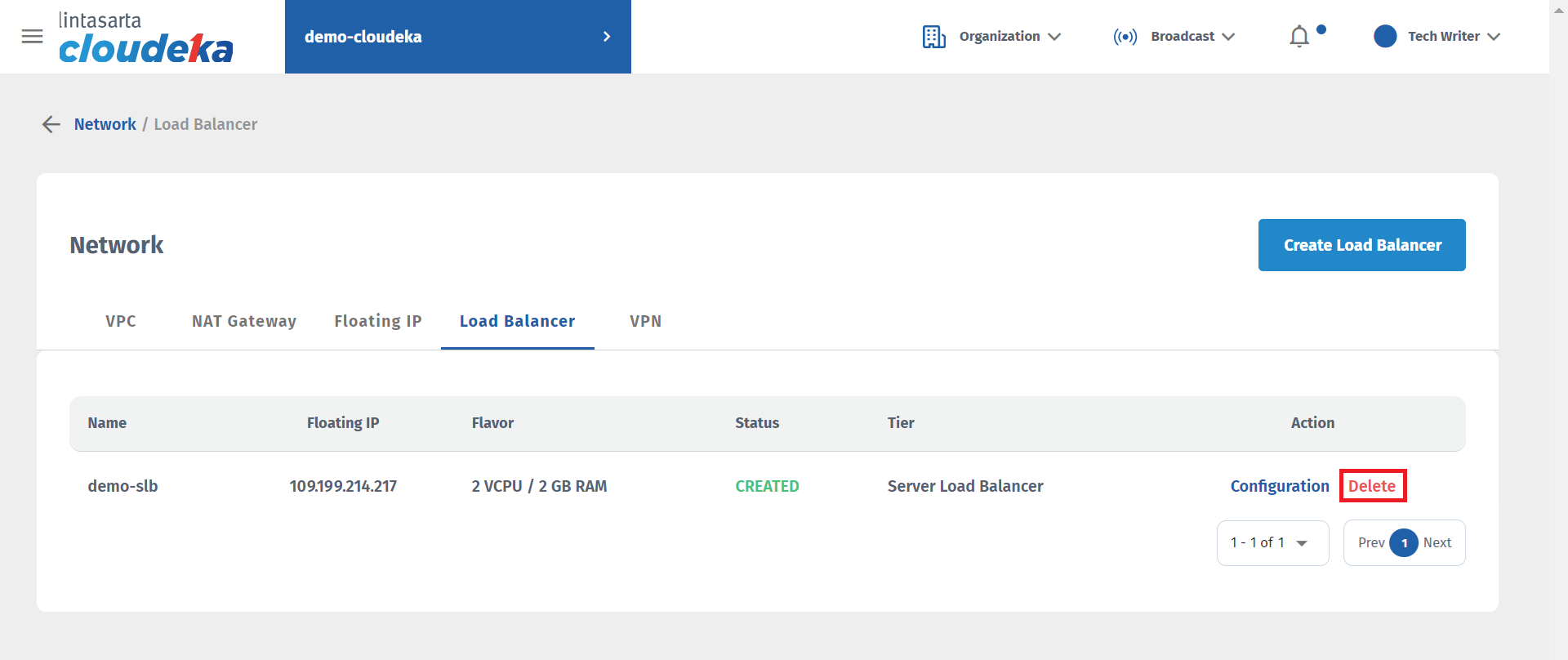
* On the **Load Balancer** page, select the Load Balancer that you want to delete. In the **Action**, column, click **Delete**,.
Network - Delete Load Balancer (a)
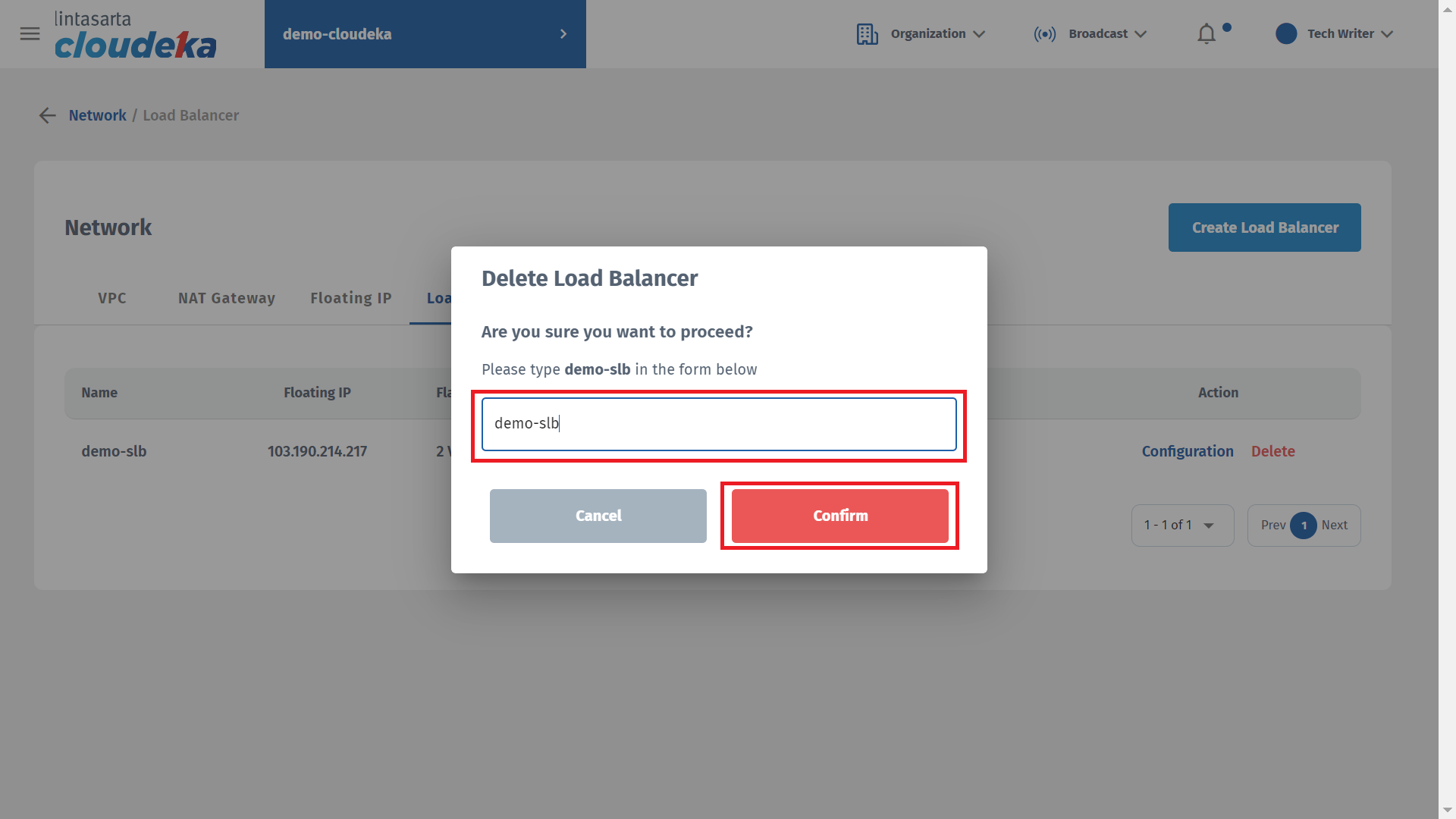
* Input **lb-tw3** in the column and click the **Confirm** button to continue with the process.
Network - Delete Load Balancer (b)
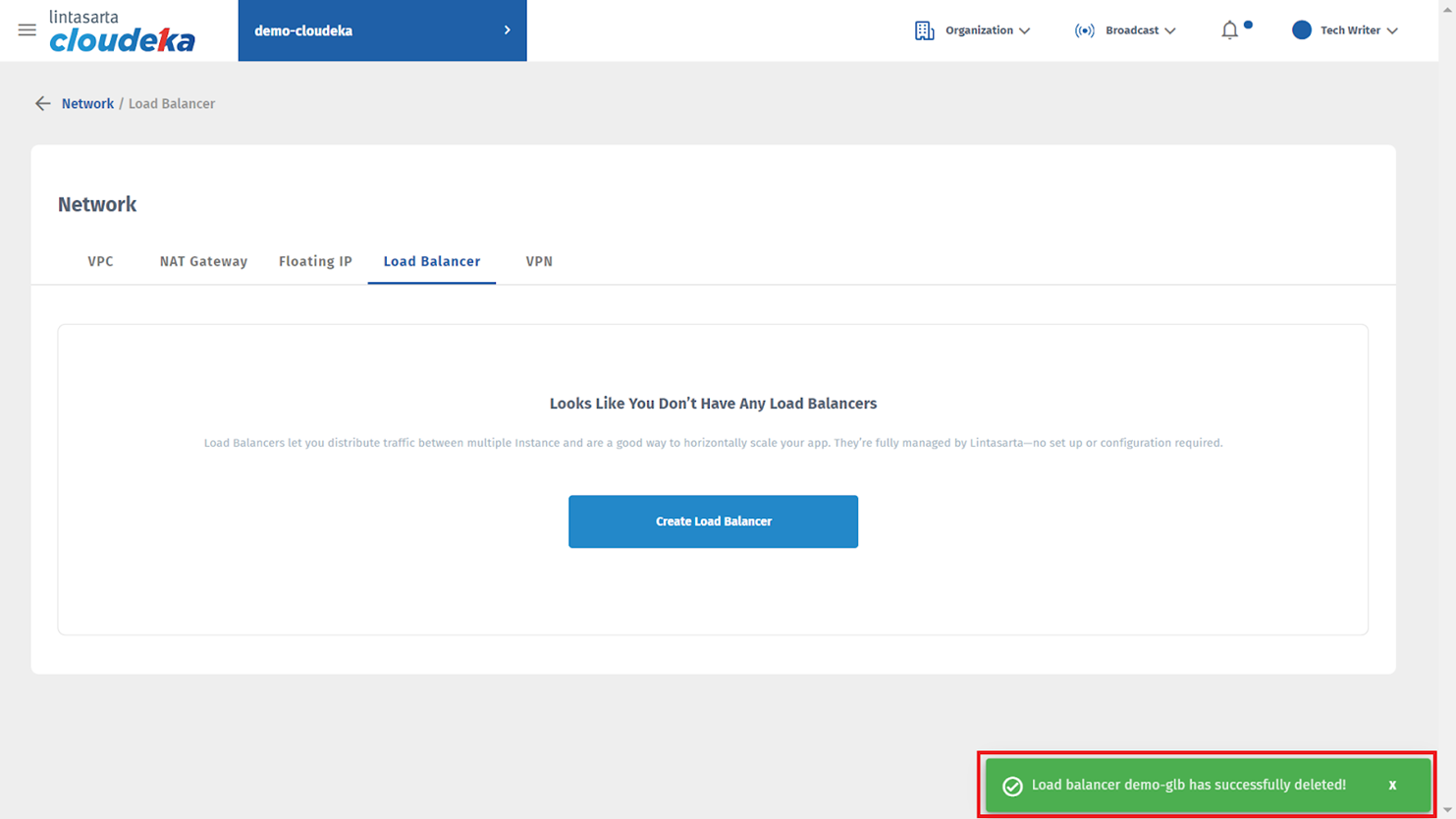
* A **"Load balancer has been successfully deleted"** notification appears if Load Balancer is successfully removed.